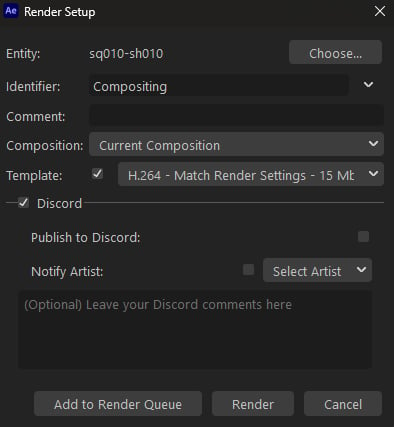
Publishes work directly from After Effects Render Dialog window. When going to render your content, you will be presented with the standard options for publishing, but it will include the Discord publishing group as well. Like the State Manager you will need to select the checkbox to bring up the additional options for publishing to Discord. Once you do, you will be presented with the same options/functionality. If you wish to learn more about each feature you can check out Publishing to Discord in the State Manager documentation

Limitations

  • As it stands right now, the After Effects plugin for Prism doesn’t allow for publishing to Deadline. As a result, this also does not support that option.
  • The plugin also does not support publishing from the Media Encoder or the Render Queue. You will need to publish directly from the Render Dialog window.